[Day26] SD的進階使用技巧
Author: Nick Zhuang
Type: AI & Data
提要
- ●
- ●
- ●
- ●
前言
今天我們介紹 SD 的進階使用技巧,本日內容包含:套件匯總、安裝、及使用方式。
套件匯總
先將重點套件做個介紹:
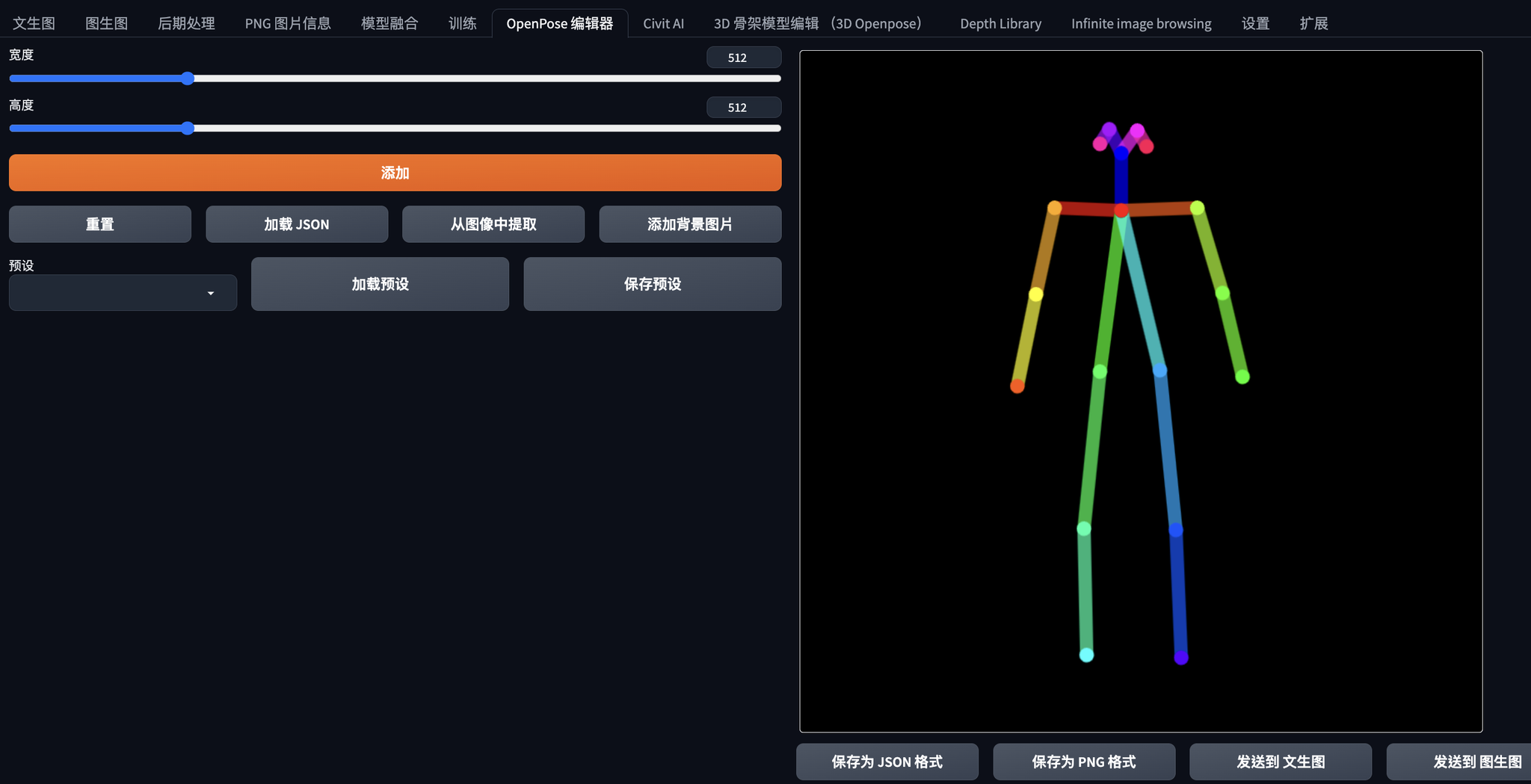
- ●Openpose editor:這是編輯ControlNet姿勢用的插件,2D。
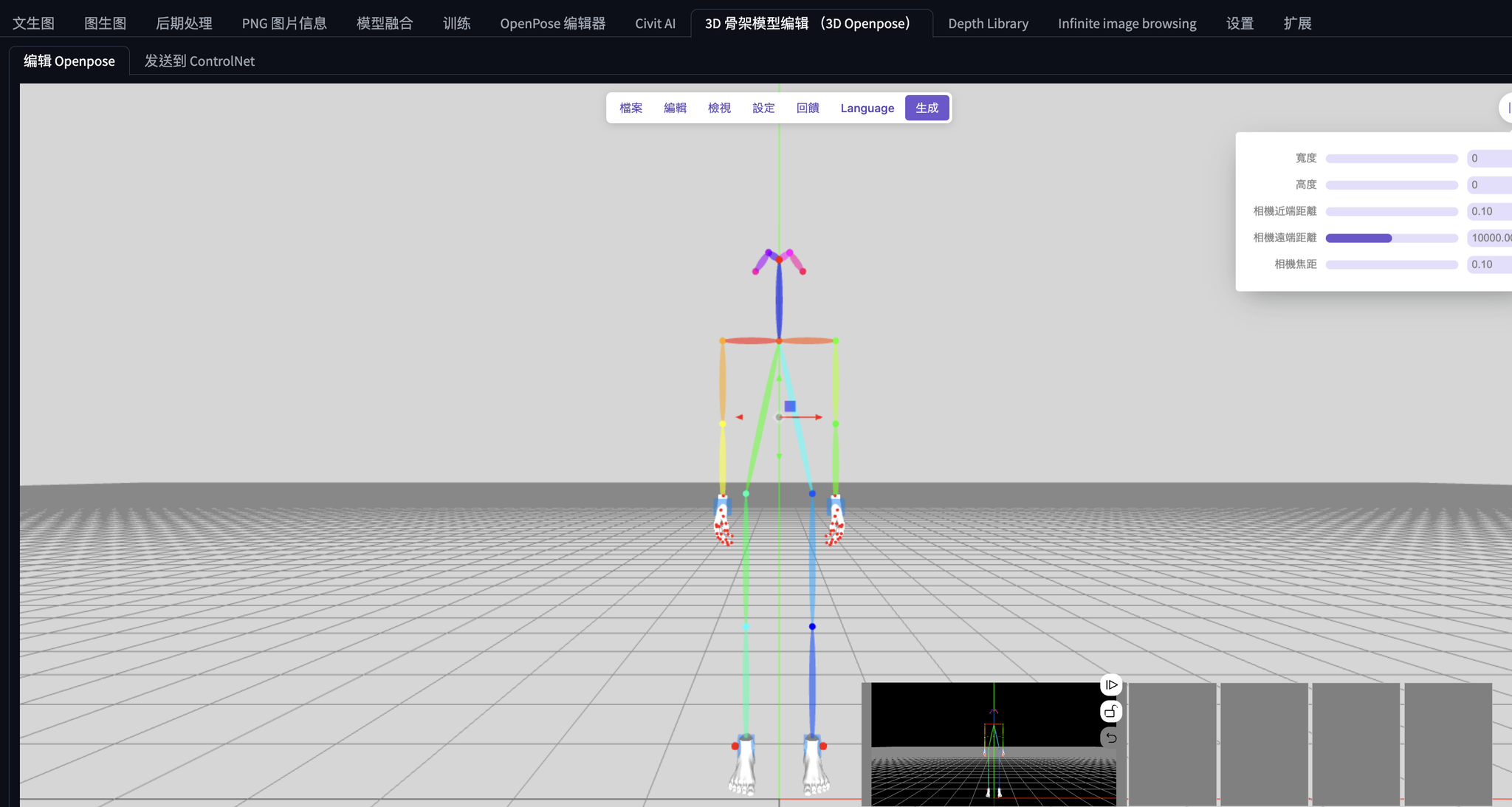
- ●3D Openpose editor:這是編輯ControlNet姿勢用的插件,3D。
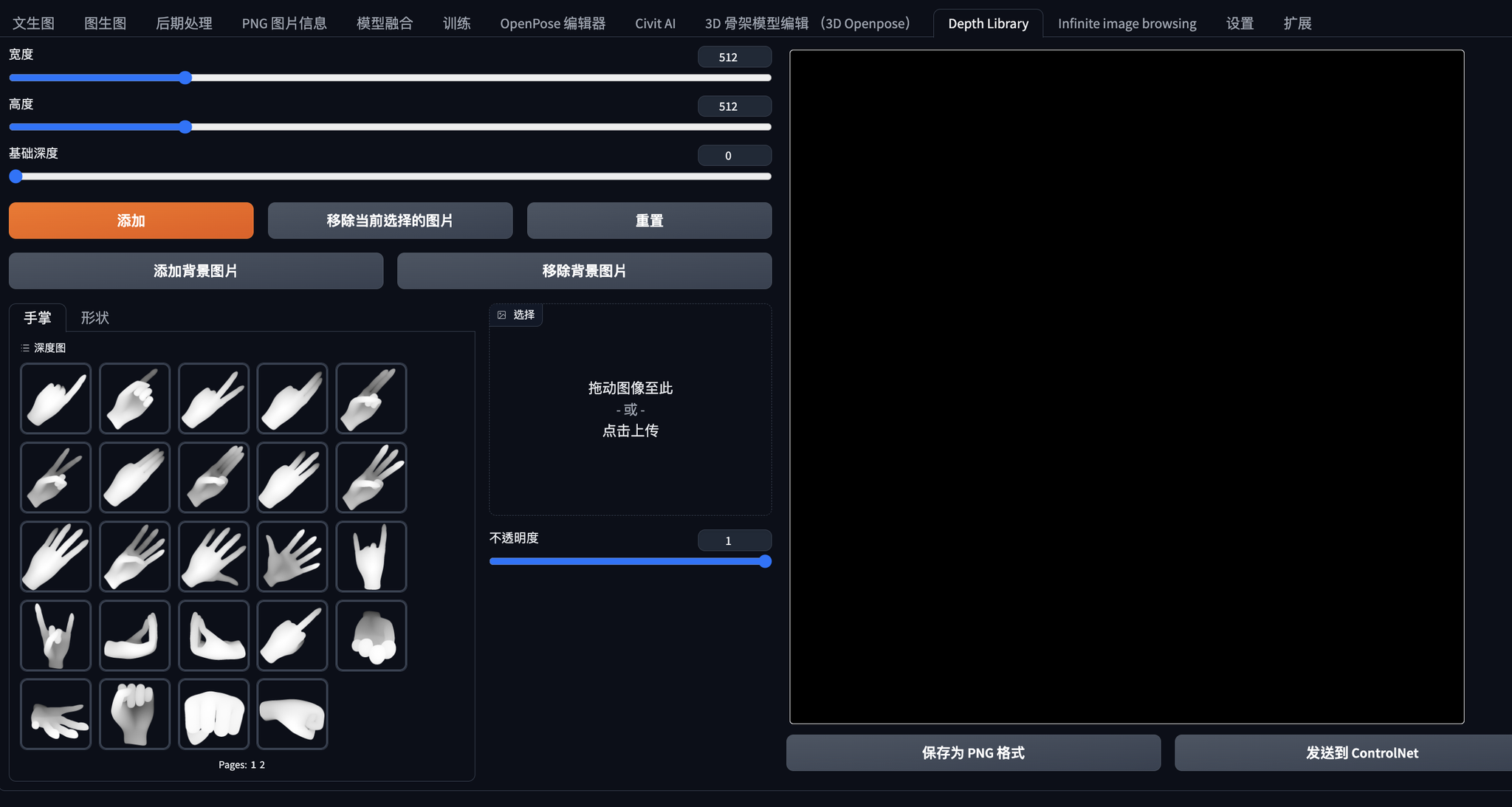
- ●Depth Library:這是控制手勢相關的,可以看作姿勢底下細微的調整使用。
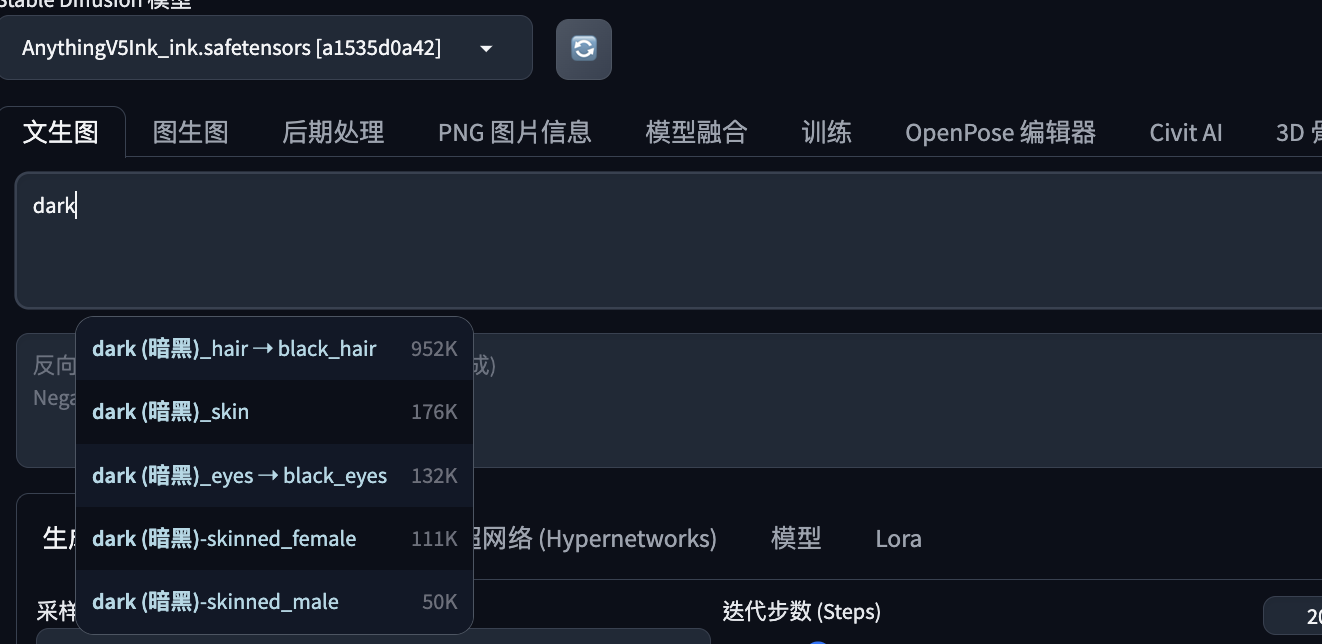
- ●Tag Complete:提示詞補全。
- ●LLuL:提升局部繪圖細節。
- ●動態CFG:讓CFG設定可以動態,避免直接調太高生圖異常。
安裝
複製對應的URL安裝即可:
Openpose editor:https://github.com/fkunn1326/openpose-editor.git
3D Openpose editor:https://github.com/nonnonstop/sd-webui-3d-open-pose-editor.git
Depth Library:https://github.com/jexom/sd-webui-depth-lib.git
Tag Complete:https://github.com/DominikDoom/a1111-sd-webui-tagcomplete
LLuL:https://github.com/hnmr293/sd-webui-llul
動態CFG:https://github.com/mcmonkeyprojects/sd-dynamic-thresholding
使用方式
我們將技巧設定權結合起來,先看下安裝完的結果:
Open Pose:
3D Open Pose:
Depth Library:
Tag Complete:
最後將技巧合併一起,能生成高品質二次元圖:
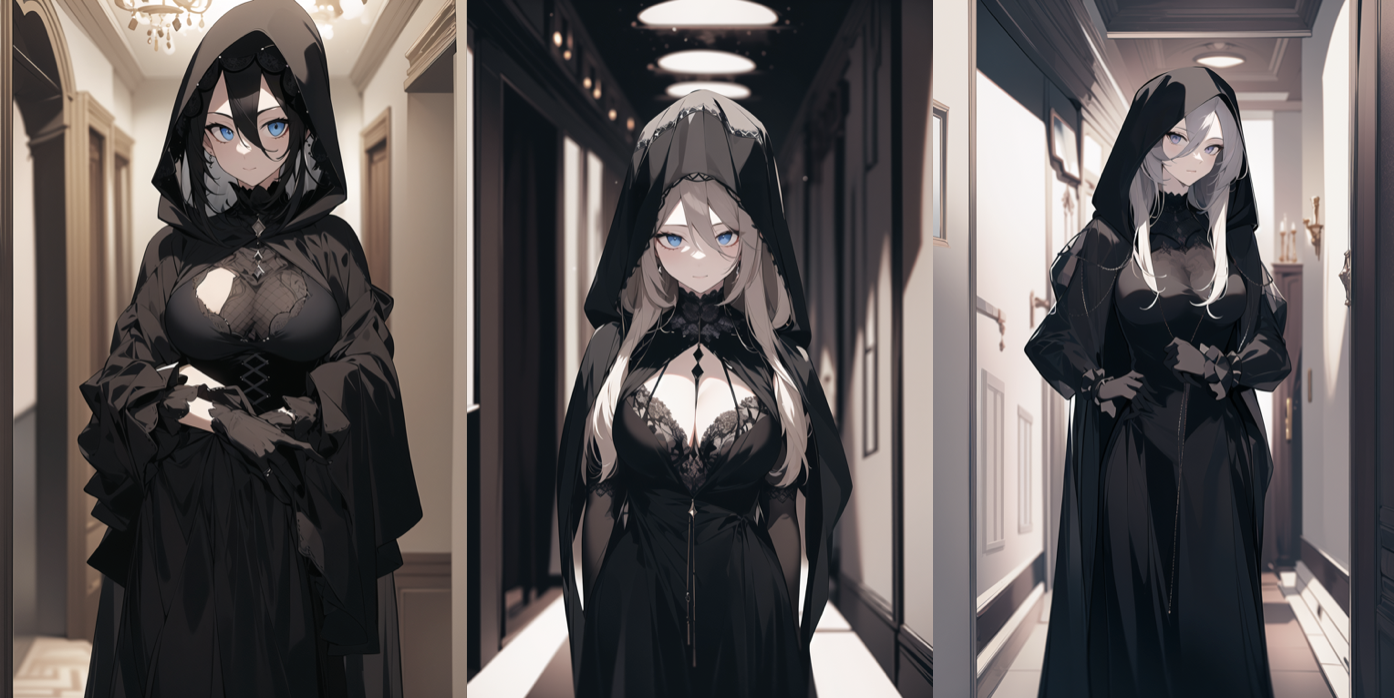
使用的Prompt:
8k, masterpiece,a woman in a black outfit with a hood, looking at viewer, standing in a hallway, Constance Copeman, darkness, a character portrait, rococo <lora:neg4all_bdsqlsz_V3.5:1>
Negative prompt: easynegative
Steps: 30, Sampler: DPM++ 2M Karras, CFG scale: 11, Seed: 3773110473, Size: 512x768, Model hash: a1535d0a42, Model: AnythingV5Ink_ink, Denoising strength: 0.7, ADetailer model: face_yolov8n.pt, ADetailer confidence: 0.3, ADetailer dilate/erode: 4, ADetailer mask blur: 4, ADetailer denoising strength: 0.4, ADetailer inpaint only masked: True, ADetailer inpaint padding: 32, ADetailer version: 23.9.3, ControlNet 0: "Module: none, Model: None, Weight: 1, Resize Mode: Crop and Resize, Low Vram: False, Guidance Start: 0, Guidance End: 1, Pixel Perfect: False, Control Mode: Balanced", LLuL Enabled: True, LLuL Multiply: 2, LLuL Weight: 0.15, LLuL Layers: ['OUT'], LLuL Apply to: ['out'], LLuL Start steps: 5, LLuL Max steps: 30, LLuL Upscaler: bilinear, LLuL Downscaler: bilinear, LLuL Interpolation: lerp, LLuL x: 128, LLuL y: 192, Hires upscale: 2, Hires upscaler: Latent, Lora hashes: "neg4all_bdsqlsz_V3.5: b1b5db66e2f6", TI hashes: "easynegative: c74b4e810b03", Version: v1.6.0
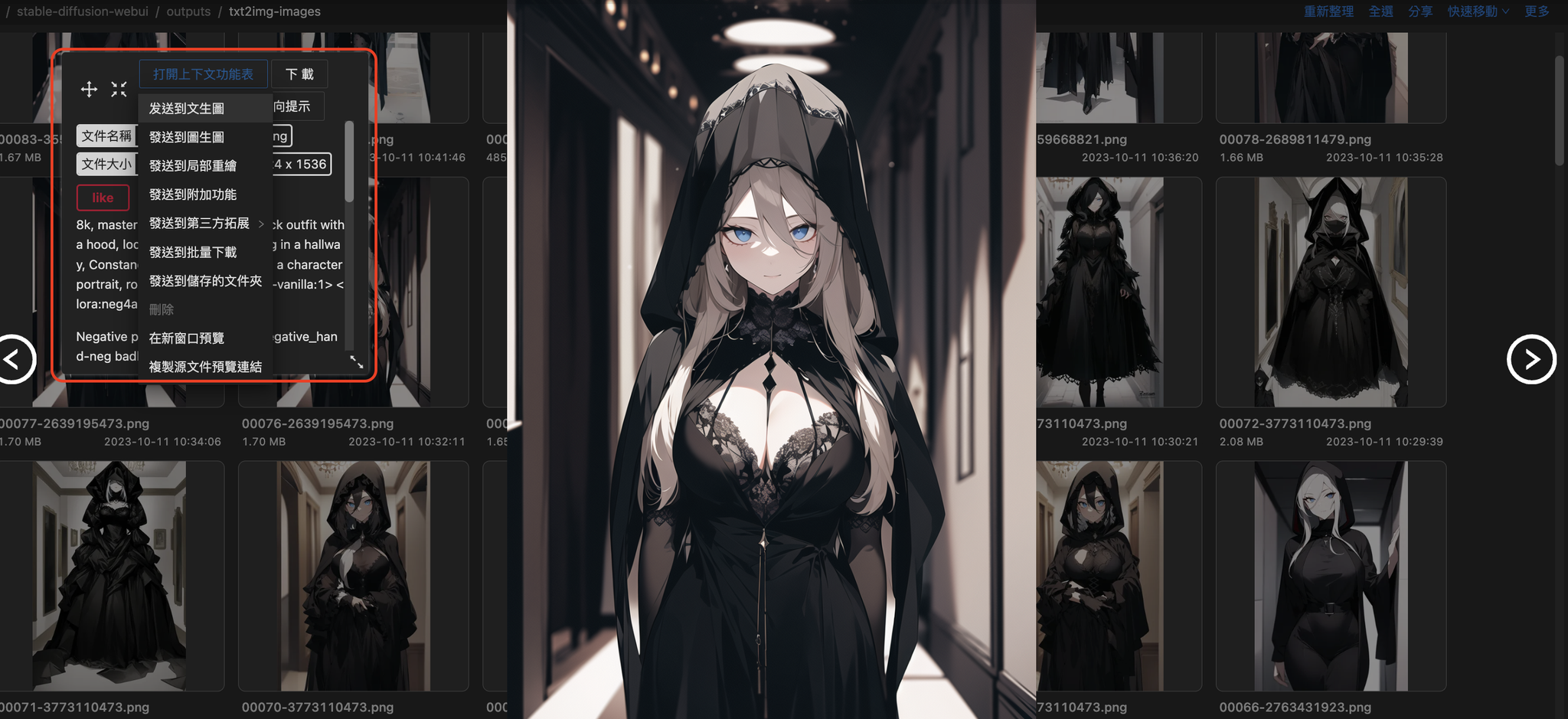
生圖的時候,可以搭配 Image Browsing 使用,有隨機到好的圖片,可以從中將其直接把prompt傳到文生圖修改,如下圖:
小結
今天我們介紹了關於進階使用 SD 的內容;例如,套件匯總、安裝、及使用方式,明天會介紹訓練 CKPT 的方式,明天見!
參考連結
- ●
- ●